A shared musical map
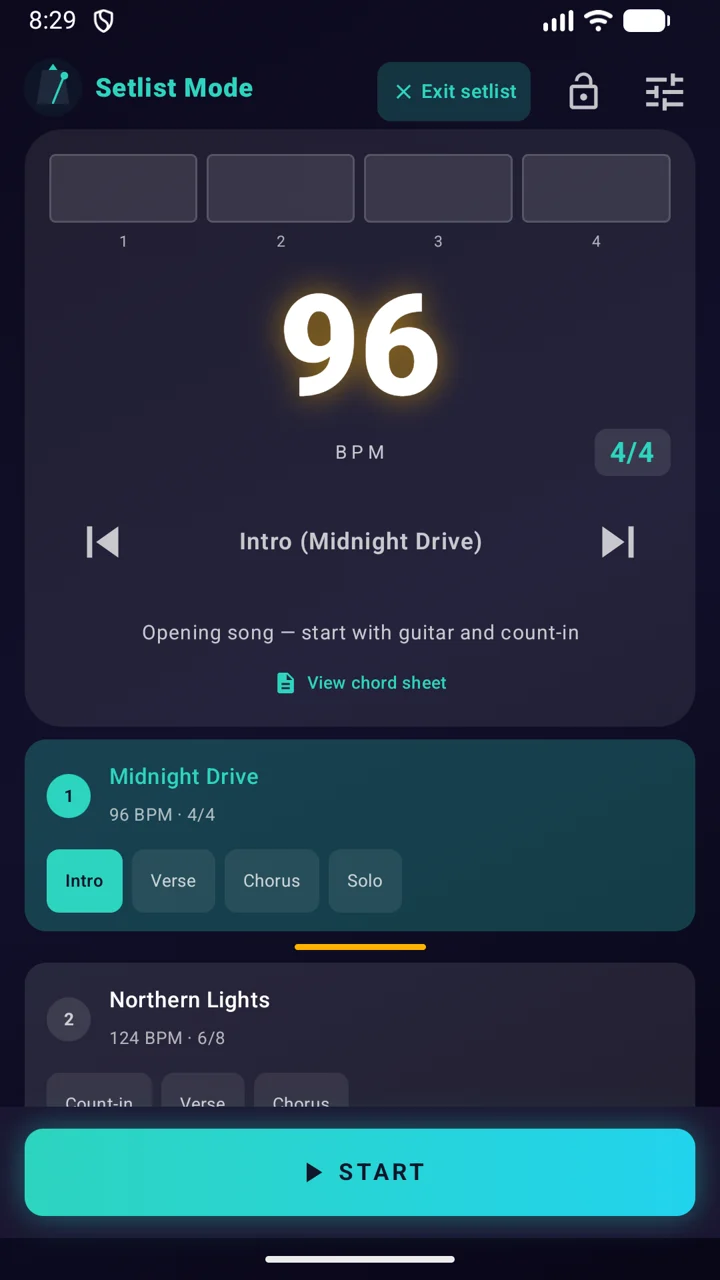
Share tempo, time signature, setlist position and section changes. Followers can view the leader's setlist and synced text chord sheets.
Choose the connection that fits
Use Ableton Link over a shared Wi-Fi network, or Bluetooth LE when Wi-Fi is not available. Compatible devices and the relevant permissions are required.
Set up for the rehearsal
Open band mode on your devices. Choose one leader, connect the followers and check the song, tempo and section on each screen before playing.
Know what is being shared
Band sync shares musical timing and cues. It is not a wireless audio-distribution system. Do not expect a backing-track audio file or an attached PDF to stream to the other players.
FAQ
Do we need Wi-Fi to sync the band?
No. SyncPulse supports band sync over a shared Wi-Fi network or Bluetooth LE. Bluetooth LE allows band sync without Wi-Fi. Check device compatibility and permissions before your rehearsal.
What is shared with the band?
Tempo, time signature, setlist position and section changes. Followers can view the leader's setlist and synced text chord sheets. Band sync does not distribute backing-track audio or attached PDF and image files.
Screenshots on this page use the same language as the page.